Authentication
Authentication Headers
data-slots=text
data-variant=warning
Every inbound HTTP API call to the Cloud Manager API must contain these three headers:
x-api-keyx-gw-ims-org-idAuthorization
The values which should be sent in the x-api-key and x-gw-ims-org-id headers are provided in the Credentials details screen in the Adobe Developer Console. The value of the x-api-key header is the Client ID and the value for the x-gw-ims-org-id header is the Organization ID.
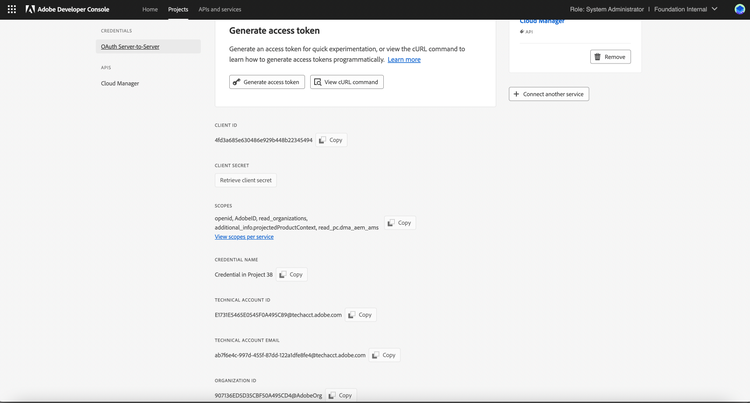
The Authorization header's value is in the form Bearer followed by a generated access token, e.g. Bearer somelongtokenvalue.
Generating an Access Token
Manual Generation Using Adobe Developer Console
data-slots=text
data-variant=warning
Generating an access token can be done by navigating to the Cloud Manager API page for the project in the Adobe Developer Console.
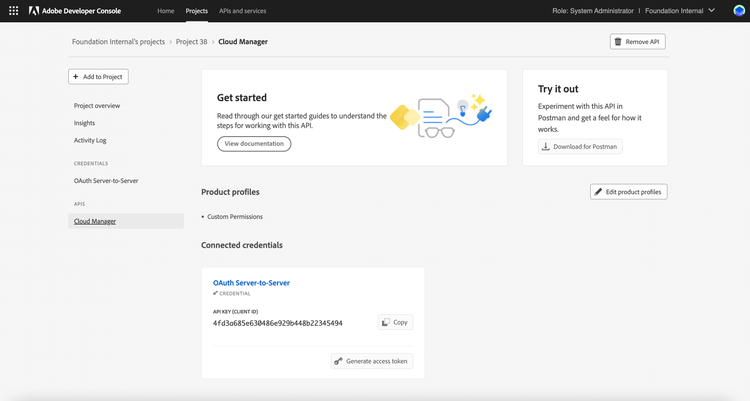
Upon clicking the Generate access token button, an access token will be generated and can be copied to the clipboard.
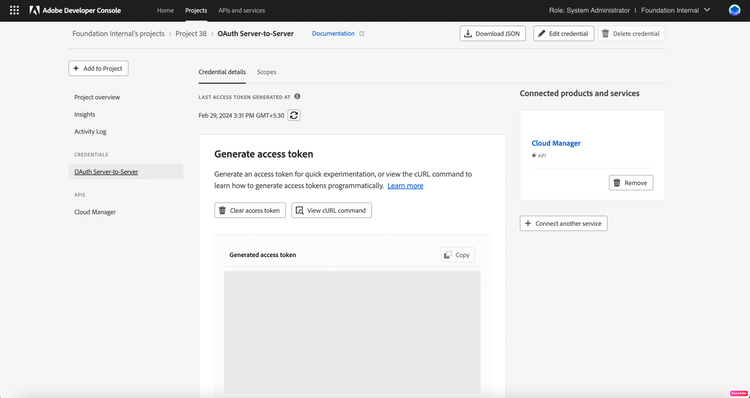
Access tokens generated in this fashion will be valid for 24 hours, after which a new token must be generated.
Programatic Generation
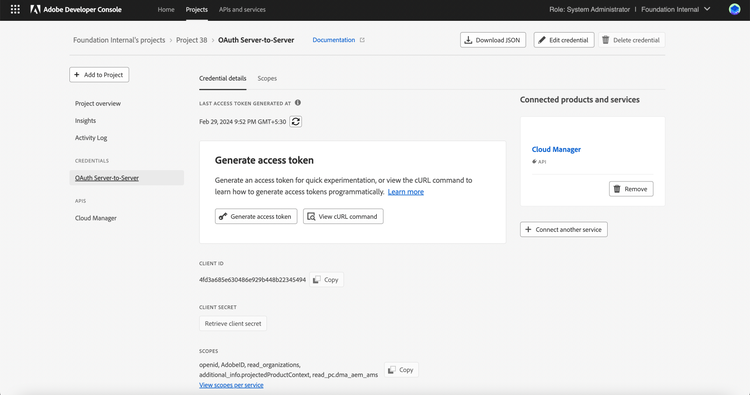
Generating access tokens for OAuth Server-to-Server credential is straightforward. You can click on View cURL command and then copy the cURL on the credential overview page.
data-variant=help
data-slots=text
The query parameters includes:
client_id- the Client ID from the Adobe Developer Console integration.client_secret- the Client SECRET retrieved from the Adobe Developer Console integration.grant_type- it is equal to 'client_credentials'.scope- the SCOPES from the Adobe Developer Console integration.
And then these parameters are then included in the body of a POST request sent to https://ims-na1.adobelogin.com/ims/token/v3.