Edit Design
The Edit Design workflow opens an existing document in a focused editor, where users can refine the design and, for print workflows, configure how the final document is exported.
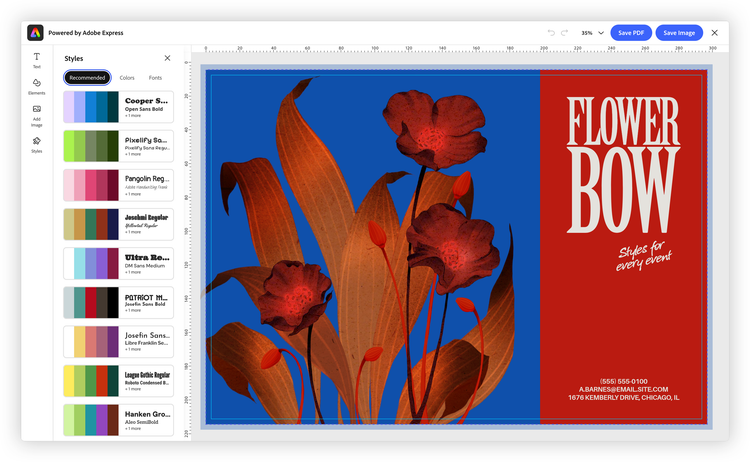
How Edit Design works
Launch the workflow from the module object:
module.editDesign(
  docConfig: FDEEditDesignDocConfig,
  appConfig?: FDEEditDesignAppConfig,
  exportConfig?: ExportConfig,
  containerConfig?: ContainerConfig,
): void;
Unlike Create Design, the docConfig parameter is required—it tells the editor which document to open. The remaining parameters are optional and positional (pass undefined to skip one). exportConfig, containerConfig, and the shared appConfig.callbacks are covered in Shared configuration.
Choosing what to open
The docConfig parameter (of type FDEEditDesignDocConfig) identifies the document to load. Provide exactly one of the following:
docIdtemplateIdassetconst docConfig = { docId: "urn:aaid:sc:VA6C2:..." };
module.editDesign(docConfig, appConfig, exportConfig, containerConfig);
Please note that, by using the templateId, you can bypass the Template Browser and directly open a specific template in the editor.
Configuring the editor
Edit Design's appConfig (FDEEditDesignAppConfig) adds output controls that Create Design doesn't have yet:
const appConfig = {
  variant: "print",

  // On-canvas print guides
  editorGuideConfig: {
    showBleed: true,
    showMargins: true,
    showRulers: true,
  },

  // Print-ready PDF output
  pdfPrintConfig: {
    includeCropMarks: true,
    includeBleed: true,
    colorMode: "cmyk",
    cmykColorProfile: "Coated GRACoL 2006 (ISO 12647-2:2004)",
  },

  allowedFileTypes: ["application/pdf"],
};
editorGuideConfigshows print guides—bleed, margins, and rulers—on the canvas.pdfPrintConfigcontrols the exported PDF: crop marks, bleed, and CMYK color with a chosen ICC color profile. The profile is one of the SDK's supported print profiles.
When variant is "print", print-oriented guides and defaults can be enabled; this is the key contrast with Create Design, which cannot pass these output settings yet.
Handling the result
Edit Design uses the same shared onPublish callback as Create Design—it fires with the exported asset and metadata, and you return a publish status. See Shared configuration.
Related
- Embed SDK Embedded Design Editor tutorial: reopen and edit a saved design step by step
- Create Design — the companion workflow, for starting from a template
- Embedded Design Editor — the shared concepts and configuration
- SDK reference:
FDEEditDesignAppConfig